AsanReview feature
Weekly Google posts with your own photos, done for you by AsanReview
A profile with recent posts looks open and alive. AsanReview writes short posts about your own services and attaches a photo that matches.
Free plan, no cardJazzCash · EasypaisaRoman Urdu · Urdu · English
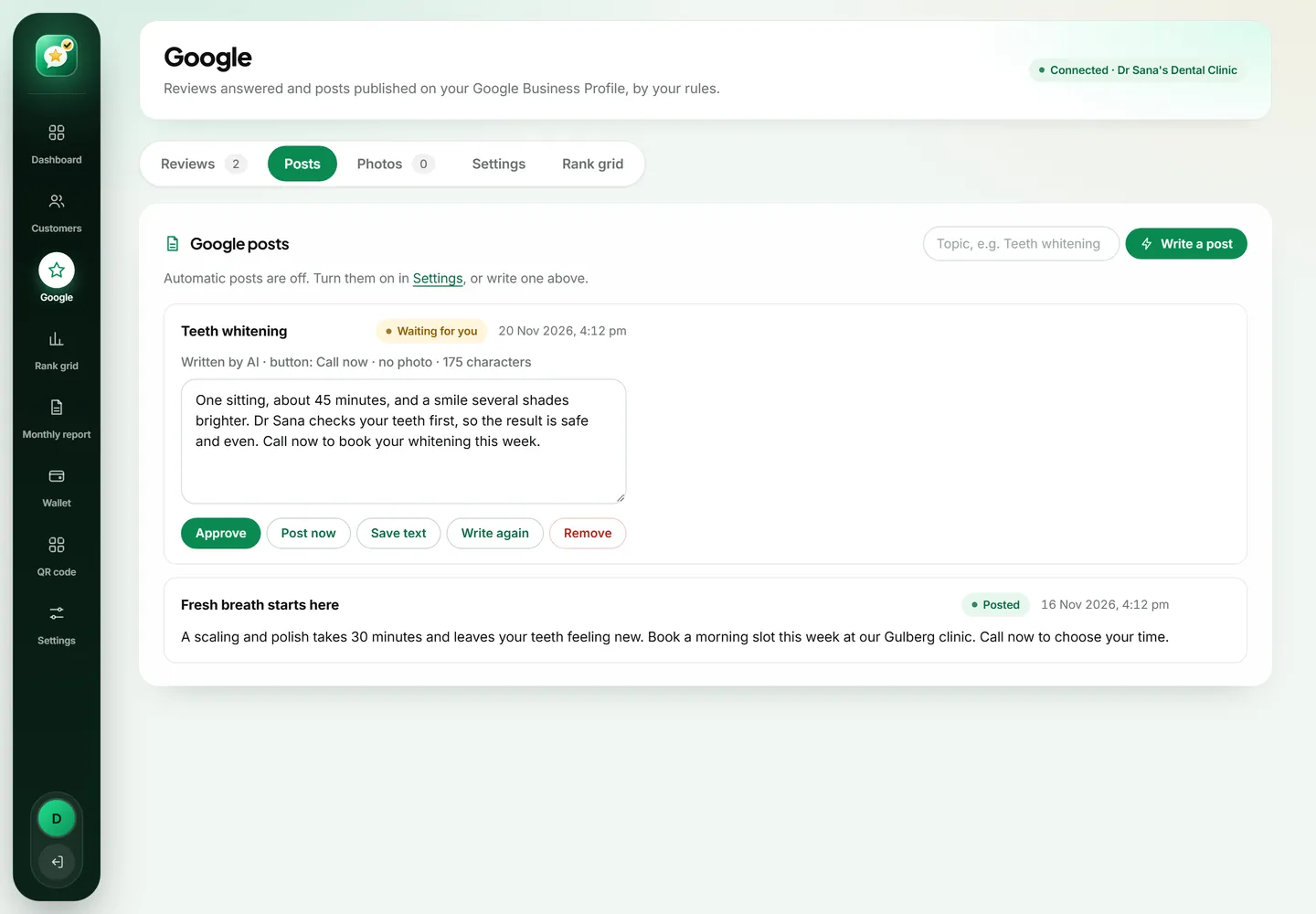
AsanReview publishes posts on your Google Business Profile on a schedule: one a week on Starter, three a week on Pro, and daily on Agency. For each post the AI first picks a fitting photo from the library you uploaded, then writes 150 to 300 characters about that topic. You can approve posts first or let them publish automatically.
Photo first, then words
The AI looks at your photo library, chooses the photo that fits the topic, skips photos used on your last four posts, and tells you why it chose it. Then it writes the post while looking at that photo, so the words match the picture.
Easy to correct
- "Swap photo" picks a different photo for the same post.
- "Write again" produces a new version of the text.
- A live character count keeps posts short.
- Topics come from the services you list, so posts are about what you sell.
Why bother with Google posts at all
When someone finds your business on Google, the profile is your shop window. Posts are the part of that window that changes. A profile whose last update was two years ago makes people wonder whether the timings are still right, whether the menu has changed, whether the place is even open. A profile with a post from this week answers all of that before the customer asks.
Posts also give you a place to say things reviews cannot: the new service you added, the Eid timing, the fresh stock that arrived on Thursday. Few local businesses post regularly, simply because nobody has the time. That makes it an easy way to look more active than the shop down the road.
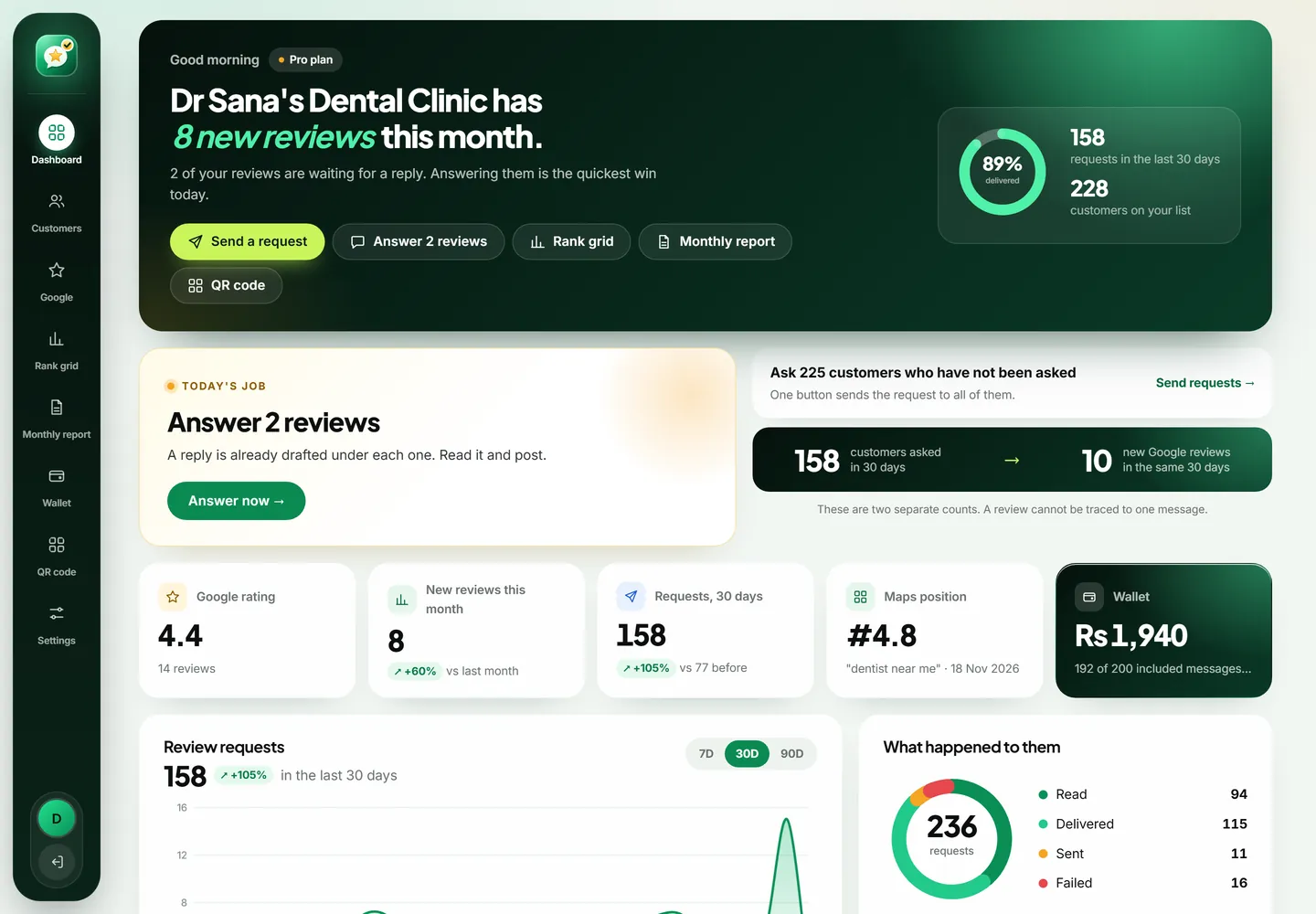
How AsanReview writes a post
It works in the order a careful person would. First it chooses the topic from the services you listed and what has not been posted about recently. Then it looks through your photo library and picks the photo that fits that topic, skipping any photo used in your last four posts so the profile does not repeat itself. It tells you in one line why it picked that photo.
Only then does it write, with the photo in front of it, so the words match the picture. Posts are kept between 150 and 300 characters. That is long enough to say something real and short enough to be read on a phone without tapping "more".
Your photos, not stock photos
AsanReview never uses stock images. Every post carries a photo you uploaded: your counter, your dishes, your team, your finished work. Customers can tell the difference, and Google's own guidance favours real photos of the business.
You can keep up to 30 photos on Starter, 150 on Pro and 300 on Agency. A good library has variety: the outside of the shop so people recognise it from the road, the inside, close-ups of products or results, and a few of the people who work there.
How often it posts
- Starter: one post a week, waiting for your approval.
- Pro: up to three posts a week, published automatically if you want.
- Agency: up to one post a day for each location.
- You can lower the number at any time, or write a post about a topic of your choice with one box and one button.
Staying in control
Every post waiting for approval shows the photo, the text and a live character count. "Swap photo" keeps the words and tries another picture. "Write again" keeps the picture and rewrites the words. You can also just edit the text yourself. Nothing reaches your profile in approve mode until you say so.
Automatic mode is there for owners who have watched a few weeks of drafts and are happy with them. It can be switched off again with one click.
What makes a good post
- One idea per post. A new service, a seasonal item, a timing change.
- Something a customer can act on: order by 2 pm, book for the weekend, visit the new branch.
- Plain words. Write the way you talk to a customer at the counter.
- A real photo that shows what the post is about.
- No walls of hashtags and no phone numbers in the text; Google provides a call button for that.
What posts will not do
It is worth being straight about this. Posts on their own are not a ranking trick, and nobody outside Google can tell you exactly how much weight they carry. What they do reliably is make your profile more convincing to a person who is deciding between you and two competitors. Combined with a steady flow of reviews and replies, they are part of looking like the obvious choice. That is the reason to post, and it is reason enough.
Getting started in ten minutes
- Connect your Google Business Profile from the Google tab. You sign in with Google and choose the profile.
- Write three or four lines about your business in Settings, and list the services you want posts about.
- Upload a first batch of photos, fifteen is plenty to begin.
- Choose approve mode, and read the first drafts when they appear.
A month of posts for a real business
Here is what four weeks might look like for a neighbourhood bakery on the Starter plan. Week one: a photo of the morning naan with a line about what time it comes out of the tandoor. Week two: birthday cakes, with the notice period for custom orders. Week three: the new sugar-free range. Week four: Friday timings. None of these is clever marketing. Each one answers a question a customer might have, and together they make the profile look looked after.
On Pro the same bakery would post three times a week, which leaves room for lighter posts between the useful ones: a tray of fresh patties, the team on a busy Sunday, a thank-you after Eid.
Questions owners ask before switching it on
- Will it post something wrong about my business? It writes only from the description and services you gave it, and in approve mode nothing is published without you.
- Can I write my own post? Yes. Type a topic, press "Write a post", and edit the result, or write the whole thing yourself.
- What if I have no photos yet? Posts can go out without one, but they do far better with a real picture. Fifteen phone photos are enough to start.
- Does it post offers? It can mention an offer you describe, but it will not invent discounts.
Questions people ask about AsanReview
How many photos can I upload?
30 on Starter, 150 on Pro and 300 on Agency.
Can I check a post before it goes live?
Yes. In approve mode every post waits for you. Automatic publishing is available on Pro and Agency.