AsanReview feature
Send your Google review link on WhatsApp in one tap, with AsanReview
Most customers never leave a review because nobody asks. AsanReview asks for you: the customer gets a short, polite WhatsApp message with your Google review link.
Free plan, no cardJazzCash · EasypaisaRoman Urdu · Urdu · English
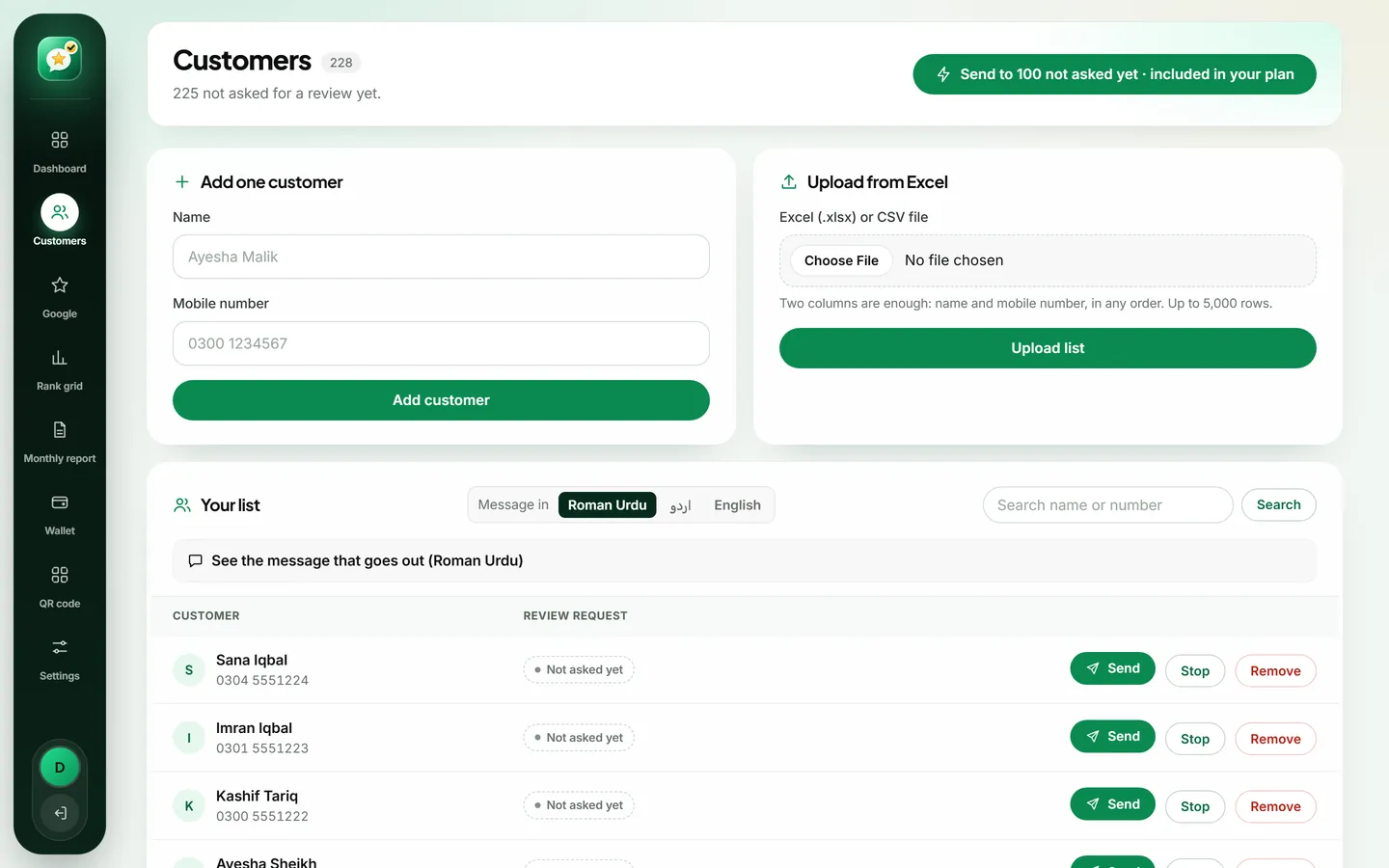
To ask for Google reviews on WhatsApp, add the customer's name and mobile number in AsanReview and press send. The customer receives a short message with your Google review link; one tap opens the review box. On the Free plan the message opens in your own WhatsApp. On paid plans it is sent automatically.
How it works
- Add customers one by one, or upload the Excel or CSV sheet you already have (up to 5,000 rows). Numbers written as 0300, +92 or 92 are corrected for you.
- Press send. On the Free plan your own WhatsApp opens with the message ready. On paid plans the message goes out by itself from a WhatsApp Business number.
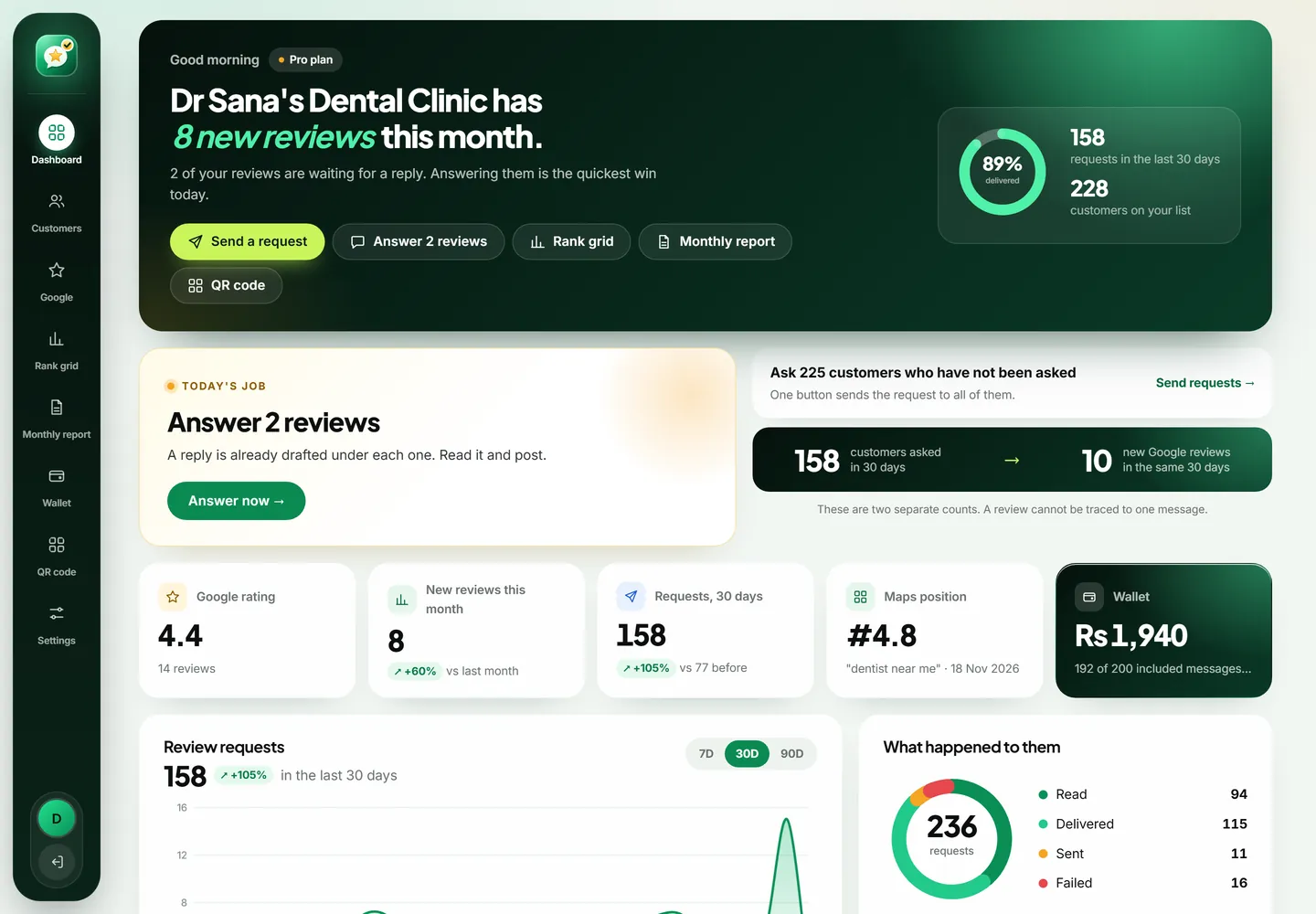
- Watch the status of each request: sent, delivered, read or failed. A failed message is never charged.
What makes it safe to use
- Every customer is asked the same way. No discount, gift or reward is ever offered, which is what Google's review policy requires.
- A customer who was asked in the last 30 days is not asked again by mistake.
- A customer who replies STOP is never messaged again.
- You confirm that your customers agreed to be contacted on WhatsApp.
The message, in your words
Describe your business once and choose a tone. The AI writes the message in Roman Urdu, Urdu and English, and the software rejects any version that offers a reward or asks for "5 stars". You can also write the wording yourself.
Why WhatsApp, and not SMS or email
Think about the last time you opened an SMS from a business. Most people in Pakistan treat the SMS inbox as a place for bank alerts and promotions, and they clear it without reading. Email is worse for a walk-in business: the shopkeeper rarely has the address, and the customer rarely checks it.
WhatsApp is different because it is where your customer already talks to family, to the tailor, to the school. A message there gets looked at, usually within the hour. When that message is short, polite and carries one link, a real share of people tap it while the visit is still fresh in their mind. That is the whole idea behind AsanReview: put the Google review link in the one place your customer will actually see it.
A day in a shop that uses it
Picture a mobile accessories shop in Saddar. In the morning the owner opens AsanReview on his phone. Yesterday eleven people bought something and gave their number for the warranty card. His nephew types the names in between customers; it takes about ten seconds each.
On the Free plan he taps "Open WhatsApp" next to each name. WhatsApp opens with the message already written, he presses send, and comes back for the next one. On a paid plan he presses "Send to all" once and goes back to his counter. By the evening the dashboard shows which messages were delivered and which were read.
Nothing about this needs training. If someone on your staff can send a WhatsApp message, they can run the whole thing.
What the customer sees
The customer sees an ordinary WhatsApp message. It greets them by name, thanks them for coming to your business, asks for a minute of their time and ends with your Google review link. There is no app to install, no form and no login on your side of things. One tap on the link opens Google with the star rating box ready.
Because the message uses their name and your business name, it reads like something a person wrote, which it is: you choose the wording once in Settings, in Roman Urdu, Urdu or English.
Free plan and automatic sending, compared
- Free plan: the message opens in your own WhatsApp and you press send yourself. It costs nothing and has no time limit. It suits a shop asking five to twenty customers a day.
- Paid plans: messages go out by themselves through the official WhatsApp Business API. You can ask every customer who has not been asked yet with one button, and you see delivered and read status for each message.
- Paid plans include a monthly allowance of automatic messages (75, 200 or 500). Beyond it, each message is Rs 20 from a prepaid wallet. A message that fails is never charged.
- Both plans keep the same customer list, the same wording and the same 30-day guard against asking twice.
Uploading the customer list you already have
Most businesses already keep numbers somewhere: a billing export, a register typed into Excel, a list from the delivery rider. AsanReview reads an Excel or CSV file of up to 5,000 rows. It finds the name and mobile columns, corrects numbers written as 0300, +92 300 or 92300 into one format, and skips rows that are not Pakistani mobile numbers. Duplicates inside the file and customers you already have are left out, so nobody is added twice.
Before you send to an old list, be honest with yourself about who is on it. A customer from last week will remember you. Someone who visited two years ago may not, and a request out of nowhere feels like spam. Start with recent customers.
Staying on the right side of Google and WhatsApp
Two sets of rules matter here, and AsanReview is built around both.
Google lets you ask customers for reviews. It does not let you pay for them, offer a discount or gift in return, or ask only the customers you think are happy. That last practice is called review gating. AsanReview sends the same message to everyone, and the AI message writer refuses any wording that offers a reward or asks for five stars.
WhatsApp expects businesses to message people who gave their number and would expect to hear from them. Ask at the counter, "May we send you a WhatsApp for feedback?" A customer who replies STOP is marked as do-not-contact and is never messaged again, on any plan.
Mistakes we see owners make
- Asking a week later. By then the visit is forgotten. Same day works best for almost every business.
- Writing a long message. Three short lines get read; a paragraph does not.
- Sending reminders. One request is enough. A second and third message turns goodwill into irritation, which is why the 30-day guard exists.
- Asking only the customers who smiled. It breaks Google's policy, and a profile with nothing but perfect scores looks less believable than one with a few honest fours.
- Never looking at the results. The monthly report shows how many requests went out and how many reviews arrived; if the second number is flat, change the timing or the wording.
What to expect
No tool can promise a number of reviews, and you should be careful of anyone who does. What we can say is how the mechanics work: the more customers you ask on the day of the visit, the more reviews you collect, and the steadier that flow, the better your profile looks to both Google and the next person reading it. A business that asks ten customers every working day will have asked more than two hundred in a month. Even a modest share of those turning into reviews changes how a profile looks within a season.
Questions people ask about AsanReview
Can I send to my whole customer list at once?
Yes, on paid plans. One button asks every customer who has not been asked yet, up to 100 at a time.
Which number do the messages come from?
On the Free plan, from your own WhatsApp. On paid plans, from a WhatsApp Business number through Meta's official API. A business can also connect its own WhatsApp Business number.
What does one message cost?
Paid plans include 75 to 500 automatic messages a month. Beyond that, Rs 20 per message from your wallet. Failed messages are not charged.