AsanReview for salons and spas
A Google review from every client with AsanReview, while she still loves the look
Clients choose a salon from photos and reviews. AsanReview sends the review link on the day of the visit, and keeps your profile fresh with weekly posts.
Free plan, no cardJazzCash · EasypaisaRoman Urdu · Urdu · English
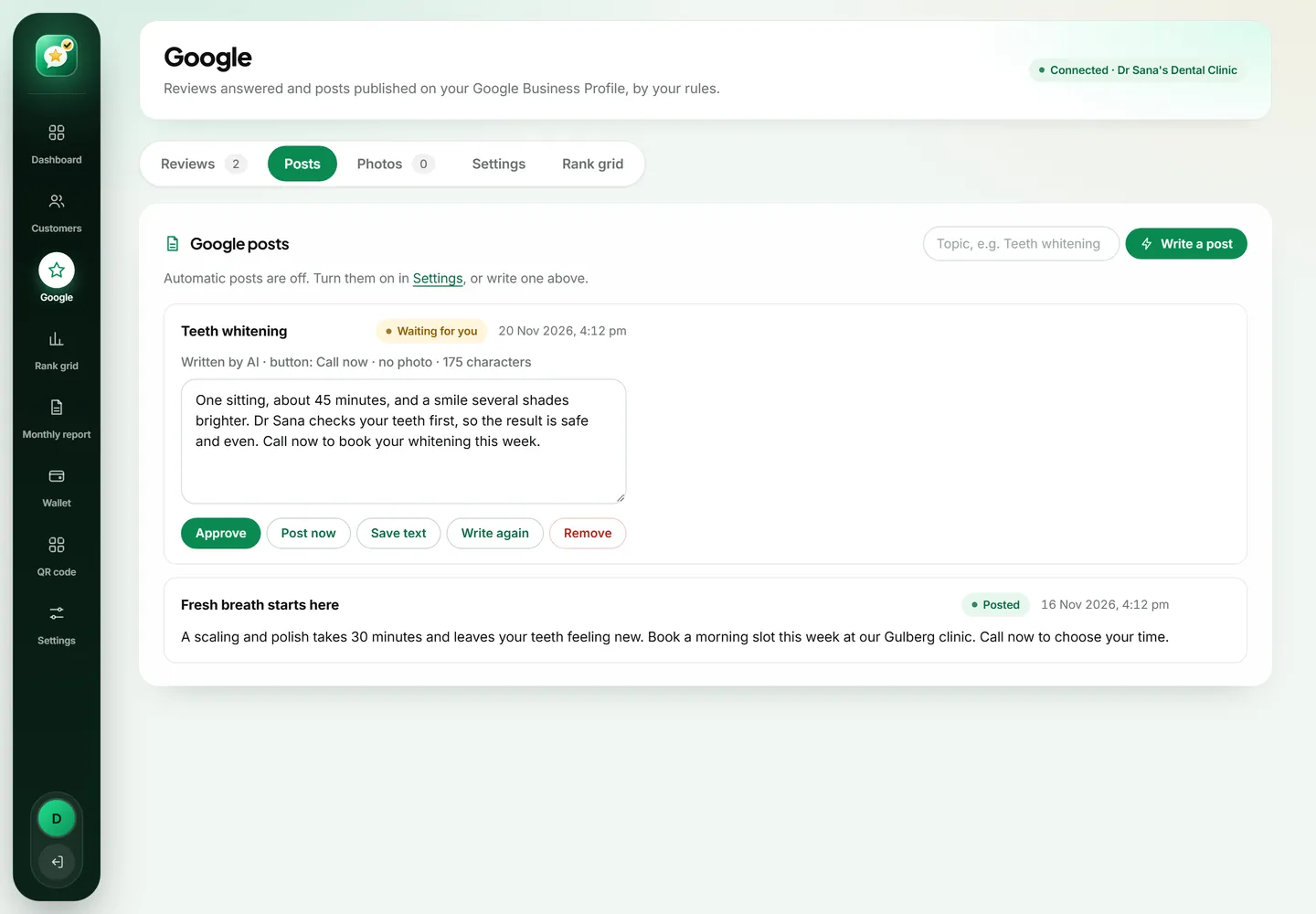
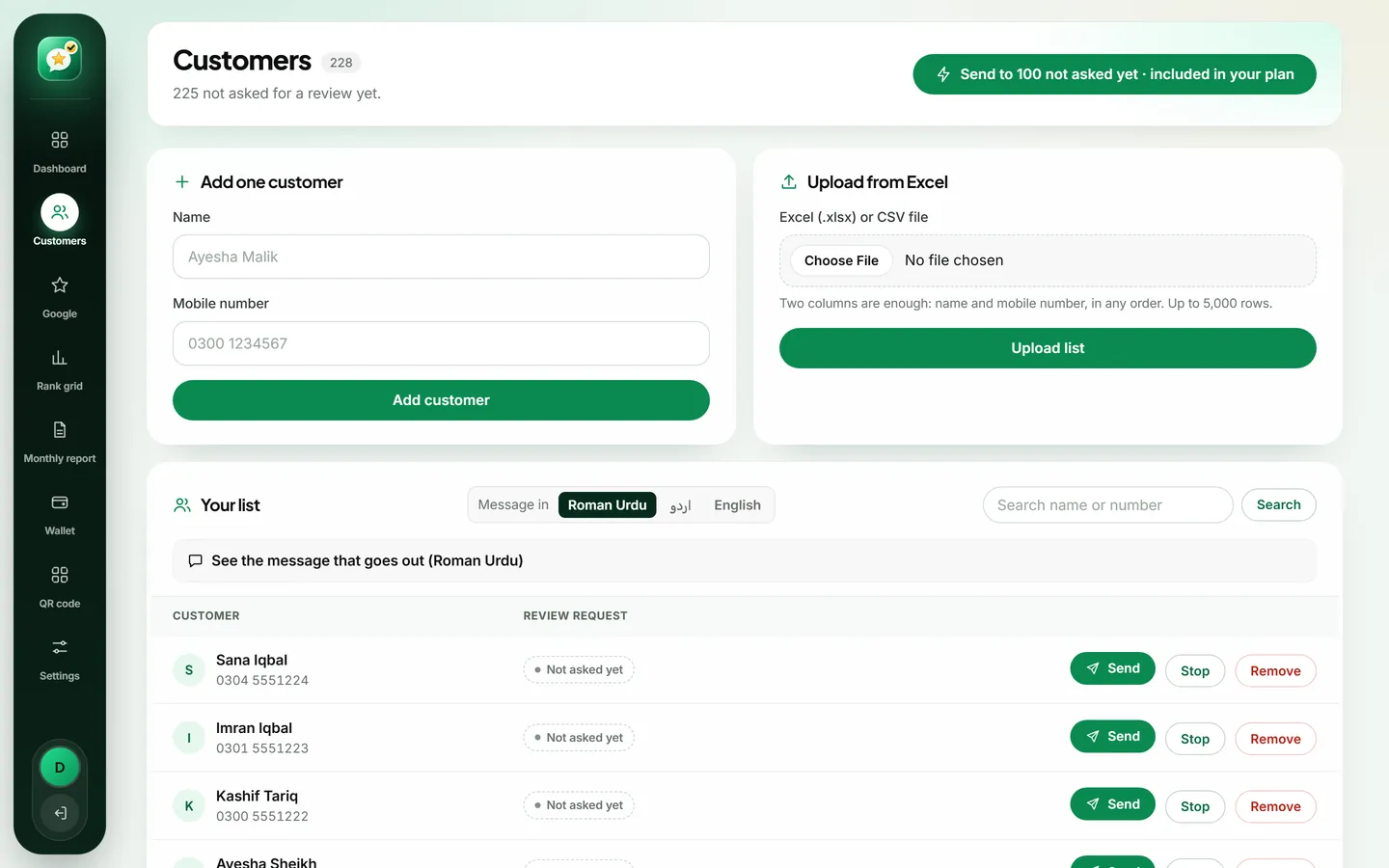
Salons get more Google reviews by sending each client a WhatsApp message with the review link on the day of the appointment. AsanReview does this from the client list, posts your own photos on your Google profile every week and tracks searches such as "salon near me".
When to ask
Within a few hours of the appointment.
A message that works
Hi {name}, {business} aane ka shukriya! Umeed hai aap ko apna look pasand aya. 1 minute mein Google par review de dein: {link}
Tips for salons and spas
- Upload your best work to the photo library; the AI picks a matching photo for each post.
- Bridal season: add bridal clients to the list the same week.
- Thank reviewers by name; it shows the next client that the owner is present.
Searches worth tracking on the rank grid
The Google Maps rank grid shows your position for each of these from every side of your area. See also how to get more Google reviews.
A salon is chosen with the eyes first
Before a new client ever walks in, she has looked at your photos, your rating and what other women said about the stylist. Beauty is personal and a bad experience is visible for weeks, so people check carefully. A salon with fresh photos, recent reviews and an owner who replies feels safe to try. One with a handful of old reviews does not, no matter how good the work is.
Ask while she is still looking in the mirror
The best moment for a salon is the same day, within a few hours. The client is happy, she has probably already taken a selfie, and friends are complimenting her. That is when writing two lines about your salon feels natural. By next week the moment has passed.
Tell her at the counter: "We will send you a WhatsApp, we would love a review." Then add her name and number. A request she is expecting gets a far better response than one that arrives unannounced.
Bridal work deserves special attention
A bride spends more, plans longer and is more anxious than any other client. She also reads more reviews than anyone, often months ahead. A few detailed reviews from brides, with your calm replies underneath, can decide a whole wedding season.
After the event, wait two or three days so the wedding is over and the photos have come in, then send the request. Many brides are glad to write about the day. Track "bridal makeup" with your city on the rank grid, because that search is where the competition is fiercest.
Let your own work fill your Google profile
Every salon has a phone full of results. Put the best of them in the AsanReview photo library, with the client's permission. Each week the AI picks a photo that fits the topic, writes a short post around it and either waits for your approval or publishes it, depending on your plan. A profile that shows a new look every week tells people the salon is busy and current.
When a client is unhappy with the result
It happens to every salon: the colour came out darker than she wanted, the cut is shorter than she asked for. If she writes about it publicly, reply the same day. Say you are sorry she is not happy, that you want to put it right, and ask her to message or visit so the stylist can fix it. Do not argue about what she asked for. Other clients reading the exchange are not judging the haircut; they are judging how you treat people when something goes wrong.
Ideas for weekly posts
- A before and after of one service, with one line on how long it took.
- A seasonal offer: Eid, wedding season, summer hair care.
- Introducing a stylist by first name and speciality.
- New products or a new service you have added.
- Changed timings, or separate days and hours if you have them.
Keywords worth tracking
Start with "salon near me" or "beauty parlour near me" on a 500 m or 1 km grid, because most regular clients come from nearby. Add one keyword for your most profitable service, such as hair treatment or bridal makeup, on a wider grid, since clients travel further for those. The report will show which nearby salons appear above you and how many reviews and photos they have.
Getting the team involved
The stylist who did the work is the best person to mention the review, because the client's goodwill is towards her. Some salons add the stylist's first name to their own wording so the message feels personal. Share new reviews with the team; a named compliment is good for morale, and it reminds everyone why the request is worth making.
Regular clients and one-time clients
A salon has two kinds of customer. Regulars come every few weeks and already love you; ask them once, and the 30-day guard will make sure they are not asked at every visit. One-time clients, such as a bride or a party makeover, will probably not return for months, so the day of the service is your only chance. Make sure the front desk adds both, and adds the one-time clients first.
Home service and separate ladies' sections
If you offer home service, the request is even more valuable, because a client letting a beautician into her home needs more reassurance than someone walking into a shop. Ask the same evening. If your salon has separate timings or a ladies-only floor, say so in your Google profile and in a post every so often; it is one of the first things many clients check.
Starting on the Free plan
- Sign up with the salon's name, your mobile number and your Google review link.
- At the counter, add each client's name and number as she pays.
- In a quiet moment, tap "Open WhatsApp" beside each name and press send.
- When this becomes a daily chore, move to Starter and let the messages send themselves.
What to measure after a month
Open the monthly report. Compare the number of requests with the number of new reviews, and look at which days the reviews arrived. Many salons find that requests sent in the early evening do best, when clients are at home and showing off the result. Adjust your routine to what your own numbers show.
Start today, in about two minutes
Create a free account with your business name, your mobile number and your Google review link. Add the customers you served today and press send; each one receives your review link on WhatsApp. There is no card to enter and no trial that runs out. When you want sending, replies and posts to run by themselves, the paid plans start from a single location, and you can go back to Free whenever you like.