AsanReview for clinics and doctors
More patient reviews on Google with AsanReview, without asking face to face
A patient looking for a doctor nearby opens Google Maps and compares ratings. AsanReview helps your clinic ask each patient, politely, at the right time.
Free plan, no cardJazzCash · EasypaisaRoman Urdu · Urdu · English
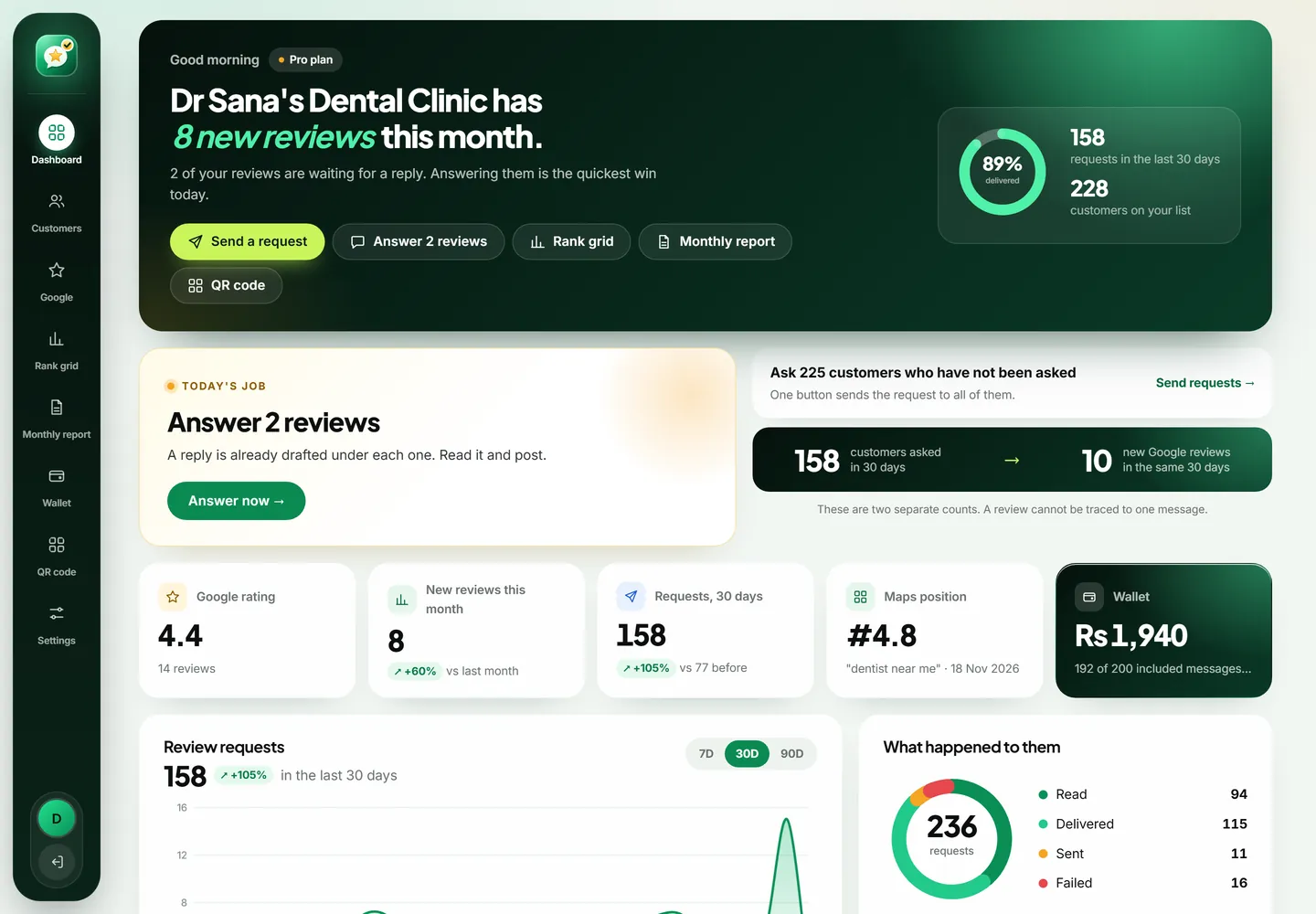
A clinic gets more Google reviews by asking each patient shortly after the visit, on WhatsApp, with a direct link to the review box. AsanReview sends that message for the front desk in Roman Urdu, Urdu or English, and never asks twice within 30 days.
When to ask
The same day, once the patient has left the clinic.
A message that works
Assalam o Alaikum {name}, {business} mein tashreef lane ka shukriya. Agar aap 1 minute nikal kar Google par apni raye de dein to doosre mareezon ko madad milegi: {link}
Tips for clinics and doctors
- Do not mention the patient's illness or treatment in the message or in a reply. Keep both general.
- Let the front desk add the name and number at checkout; it takes a few seconds.
- Reply to every review without confirming that the person is a patient or giving medical detail.
Searches worth tracking on the rank grid
The Google Maps rank grid shows your position for each of these from every side of your area. See also how to get more Google reviews.
How patients really choose a doctor now
A mother in Faisalabad whose child has a fever at night does not ask the neighbours any more. She types "child specialist near me" into her phone. Google shows three clinics with a star rating beside each. She taps the one with the most reviews, reads four or five of them, checks the timings and calls. The whole decision takes about two minutes.
Your years of experience, your degrees and the trust of your existing patients are not visible in those two minutes unless your patients have written about you. Reviews are how a good clinic's reputation gets from the waiting room onto the screen.
Why good clinics often have few reviews
It is rarely because patients are unhappy. Patients leave relieved, thinking about the medicine and the fee, not about Google. Writing a review needs a reminder and a direct link. Without those, only the angry ones make the effort, and a clinic that treats sixty people a day ends up with a profile that shows three complaints about waiting time.
Asking fixes the balance. When every patient gets a polite request, the quiet majority who were satisfied start to show up on your profile.
Setting it up at the front desk
- Create the account with the clinic name, the receptionist's or doctor's mobile number and the Google review link.
- Decide the moment: most clinics add the patient's name and number at checkout, when the fee is paid.
- On the Free plan the receptionist taps "Open WhatsApp" and presses send. On a paid plan requests go out by themselves.
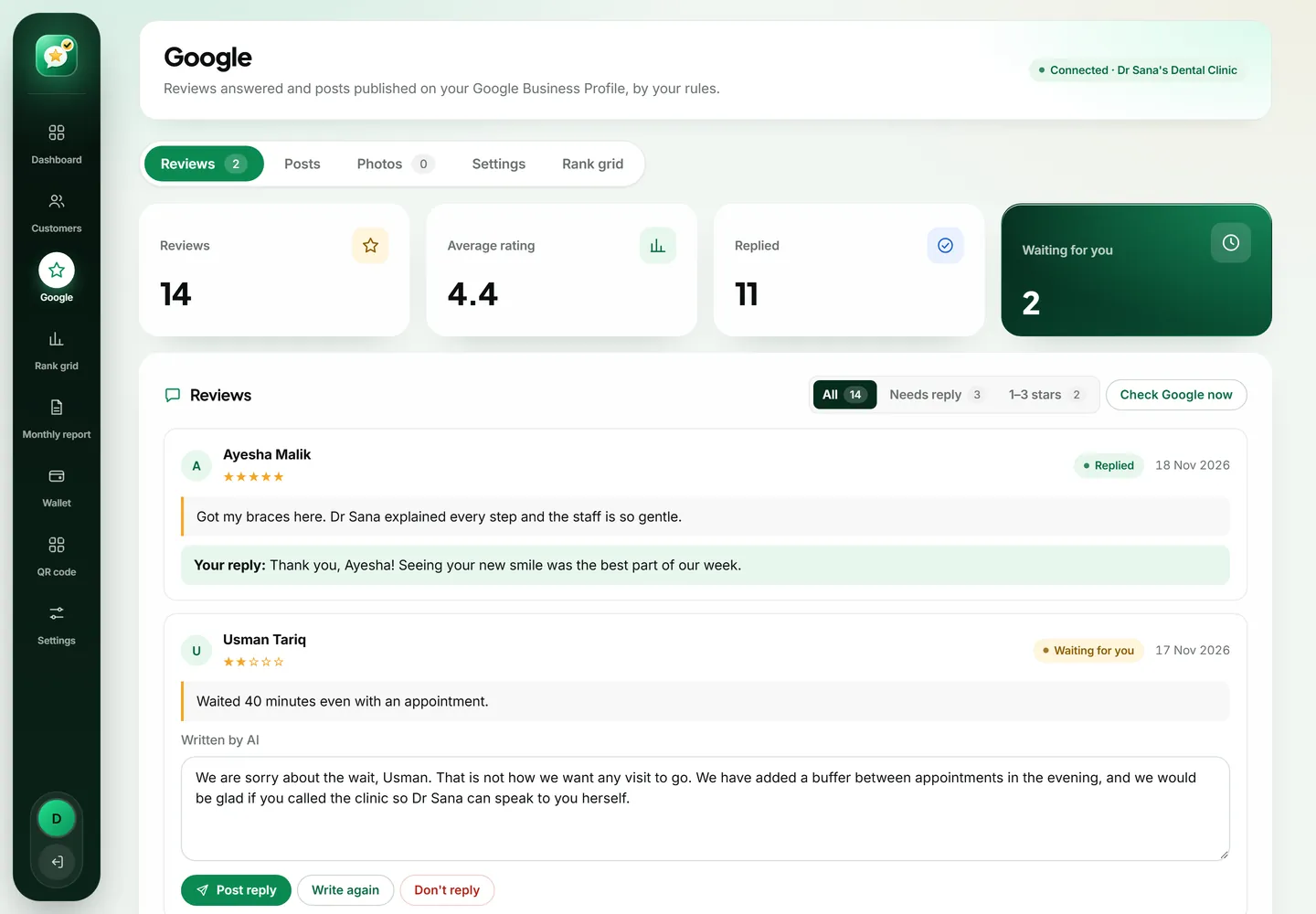
- Once a week, open the Google tab and approve the reply drafts.
Privacy is not optional in healthcare
A review request for a clinic must never reveal why the person visited. AsanReview's message says only that they came to your clinic and asks for their view. Do not add the department, the doctor's speciality or the treatment to the wording if that would disclose something sensitive.
The same applies to replies. If a patient writes about their own treatment, your reply should still stay general: thank them, wish them good health, and leave the medical detail out. The AI drafts are written with this rule, and for a clinic we recommend keeping replies in approve mode so a person reads each one.
Handling the review about waiting time
Every busy clinic gets it: "Doctor is good but we waited two hours." Do not argue and do not explain that emergencies come first, even though it is true. Thank the patient, say you are sorry for the wait, and mention one concrete step, such as appointment slots by phone or a token system. Future patients read that reply and conclude that the clinic listens. Many will also conclude that a doctor with a two-hour queue is probably worth seeing.
More than one doctor, more than one branch
A polyclinic can run everything from one account: one review link for the clinic's profile, one customer list. If you have branches in different areas, each branch has its own Google profile and should have its own location, which is what the Agency plan is for. The rank grid then shows each branch's visibility in its own neighbourhood.
What to track on the rank grid
Patients search by speciality and by symptom. Track the speciality with "near me" and with your city, for example "skin specialist near me" and "skin specialist in Multan". A 1 km grid suits a neighbourhood clinic. A consultant whom patients travel across the city to see should use 2 or 3 km, because that is the area you are really competing in.
A realistic first month
Week one, the front desk gets used to adding numbers. By week two it is habit. If the clinic sees forty patients a day and asks even half, that is several hundred requests in a month. You will not hear from most of them, and that is normal. The ones who do respond are enough to change a profile that had been sitting still for years, and each new review makes the next patient's decision a little easier.
Which staff member should own this?
In most clinics the receptionist is the right person. She already takes the patient's name and number, she is there at checkout, and patients are used to hearing from her. Give her one clear instruction: every patient who has finished their visit gets added before the end of the day. It adds less than a minute per patient.
Doctors should stay out of the asking. A request from the doctor can feel like pressure, and it takes attention from the consultation. What the doctor can do is read the reviews once a week. They are the most honest feedback a clinic gets about waiting time, staff manner and how clearly things were explained.
What Google and medical ethics both expect
- Ask every patient, not a chosen few.
- Never offer a discount on fees or a free check-up in return for a review.
- Never write reviews on behalf of patients, even elderly ones who ask you to.
- Never confirm in a reply that the reviewer is your patient or mention their condition.
- If a review contains another person's private details, report it to Google.
Free plan or paid plan for a clinic?
A single-doctor clinic seeing fifteen patients a day can run comfortably on the Free plan from the reception phone. A busy clinic or polyclinic usually moves to Starter within a month, because automatic sending removes the daily chore and the AI drafts make it realistic to answer every review. Pro makes sense when reviews arrive every day and you want the thank-you replies to go out by themselves.
Start today, in about two minutes
Create a free account with your business name, your mobile number and your Google review link. Add the customers you served today and press send; each one receives your review link on WhatsApp. There is no card to enter and no trial that runs out. When you want sending, replies and posts to run by themselves, the paid plans start from a single location, and you can go back to Free whenever you like.